YKTAccessibleClient accesses questions generated from the source document
set test parameters and start
select the answer you believe is correct and then click Next Question
test results at the end
session results with detailed explanation, also in Concept Map format
learning statistics
The Inclusive and Barrier-Free Exam Experience.
YKTAccessibleClient (Special Edition SEN/LD/VUI) is the revolutionary public web application designed to radically transform the way students with Specific Learning Difficulties (SLD/SEN) approach multiple-choice tests.
This is not a simple quiz viewer, but an immersive compensatory learning environment that adapts editorial catalogs to the cognitive needs of each individual candidate, guaranteeing everyone a real and immediate level playing field.
The Pillars of the Zero-Friction Experience
⚡ Instant Access Without Login:
Reduces visual and cognitive stress before even starting. Students do not need to fill out forms, remember passwords, or manage credentials. Access to the test is immediate, anonymous, and secure.
📲 Full Link & QR Code Integration
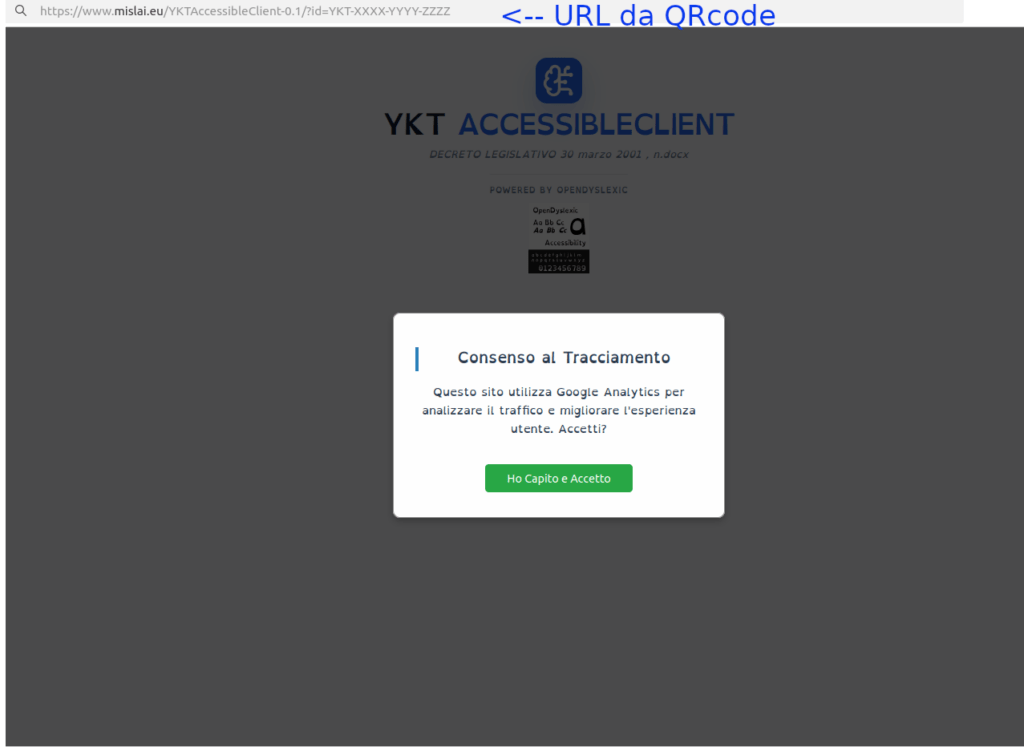
A simple gesture is all it takes. By scanning the QR Code printed on the paper textbook or clicking the direct link instantly generated by YKTAccessiblePublisher, the student is directly launched into their customized test.
🧠 Concept Map Visualization
Text transforms into dynamic visuals. Thanks to synergy with the AI engine, exam questions can be experienced as interactive concept maps, drastically reducing the burden of linear reading and facilitating immediate understanding of the question’s logical nodes.
👁️ Natively High-Readability Interface
Clean layout, optimized contrast, and full integration of the OpenDyslexic typeface. Every visual element is calibrated to eliminate eye strain and prevent distraction-related errors tied to dyslexia.
Use Cases: The In-Field Exam Experience with YKTAccessibleClient
The Zero-Friction architecture of YKTAccessibleClient removes every entry barrier, turning any moment and any medium — paper or digital — into an immediate opportunity for study and self-assessment.
📚 Students with SLD/SEN (Dyslexia, Dysgraphia)
The problem: Taking a multiple-choice test with traditional layouts and standard fonts involves a huge expenditure of energy in linear reading and visual decoding, increasing the risk of wrong answers due to fatigue rather than actual preparation.
The solution with YKTAccessibleClient: The student scans the QR Code on their textbook and instantly accesses a secure, clean interface without the anxiety of entering credentials. By enabling the OpenDyslexic font and the Concept Map view, questions are transformed into immediate visual diagrams: cognitive load drops to zero, allowing candidates to focus solely on demonstrating their knowledge.
🏢 Universities, Schools, and Educational Support Centers
The problem: Providing effective and standardized digital compensatory tools during workshops or exam simulations without requiring teachers or tutors to waste time individually configuring student PCs or tablets.
The solution with YKTAccessibleClient: The institution distributes the exam links generated by the platform. Thanks to the Zero-Friction architecture, school devices instantly become inclusive exam workstations without installing any store app. The ykt-entry-guard.js script ensures students stay focused on the assigned exam thread, simplifying session management for teaching staff.
👥 Candidates for Public Exams and Professional Selections
The problem: Participating in digital competitive exams using rigid platforms that do not account for reading difficulties or visual processing times, effectively limiting the fairness of the selection.
The solution with YKTAccessibleClient: The organizing body provides the candidate with a unique access link protected by a thread identifier. The candidate can complete the exam in total autonomy, benefiting from an interface optimized for readability and smooth navigation that ensures transparency, universal accessibility, and equal opportunities for ranking.
It is the public web application of the YKT ecosystem dedicated to taking tests in an inclusive mode. It was designed specifically as a compensatory tool for students and candidates with Specific Learning Difficulties (SLD/SEN) or anyone requiring an optimized interface to overcome visual and cognitive barriers during multiple-choice tests.
How does the student access the platform? Does it require an account?
No, access follows the Zero-Friction philosophy. Students do not need to register, enter an email, or remember any passwords. Access is granted exclusively via a direct link or by scanning a unique QR Code printed on the textbook or provided by the organizing body.
Does YKTClient work on smartphones too?
Yes, the platform is developed with a Mobile-First approach. The interface adapts fluidly and responsively to any screen type (smartphone, tablet, or PC), allowing candidates to practice and simulate exam tests anytime and on the go.
What is the ?id= (thread_id) parameter and how does it ensure test security?
The ?id= parameter in the URL uniquely identifies the specific session or question catalog generated for that particular test. In a production environment, the security script ykt-entry-guard.js constantly monitors access: if a user attempts to access the platform without a valid ID or outside the protected path, they are blocked, ensuring that publisher quizzes are accessible only to authorized users.
What does the Concept Map view consist of?
Instead of forcing the user to read a linear block of text, the interface allows transforming the question and answer options visually into graphic nodes and conceptual diagrams. This helps students immediately identify the logical relationships of the question, drastically reducing the reading fatigue typical of dyslexia or dysgraphia.
What is the OpenDyslexic font and why is it integrated?
OpenDyslexic is an open-source typeface specifically designed to counter some of the most common reading errors caused by dyslexia. Letters feature heavier bottoms and a geometric shape designed to indicate direction, helping the brain avoid confusing or rotating characters during on-screen reading.
Scroll to Top
Utilizziamo i cookie per ottimizzare la tua esperienza su YKT Platform e analizzare il traffico. Cliccando su 'Accetto', acconsenti al loro utilizzo.

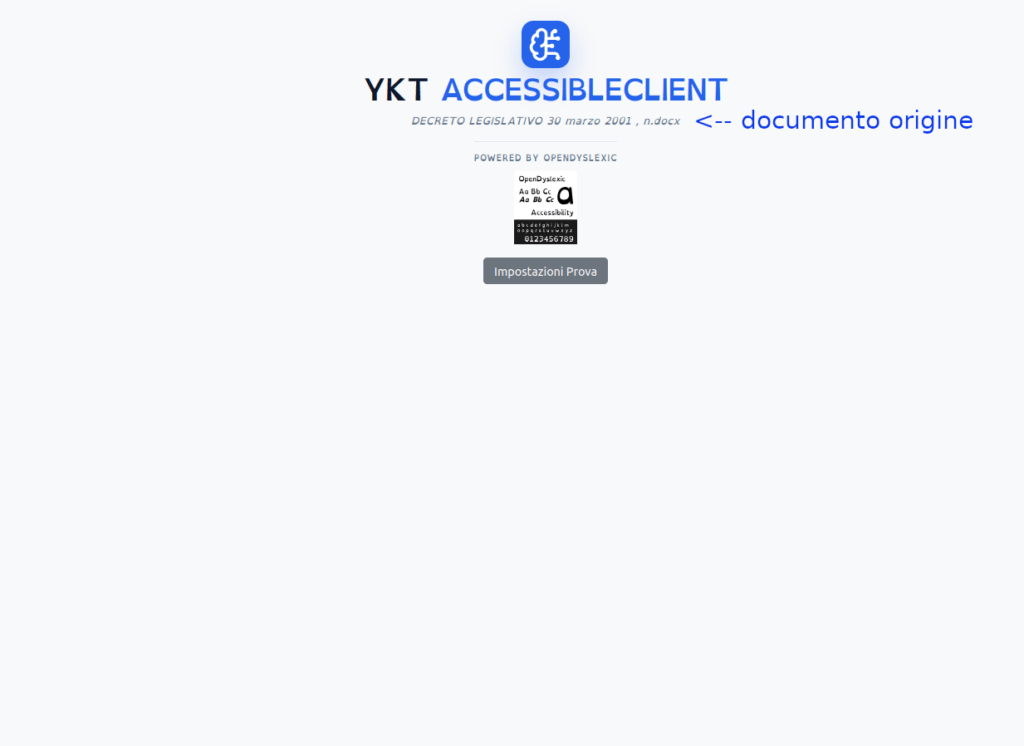 YKTAccessibleClient accesses questions generated from the source document
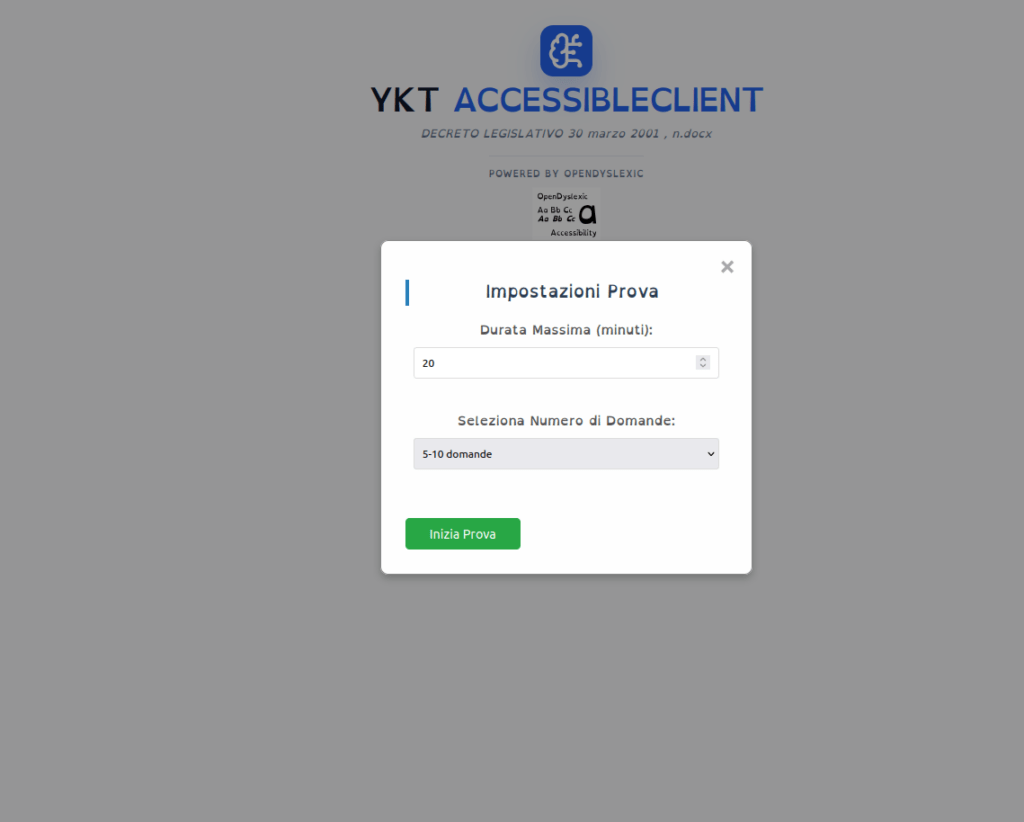 set test parameters and start
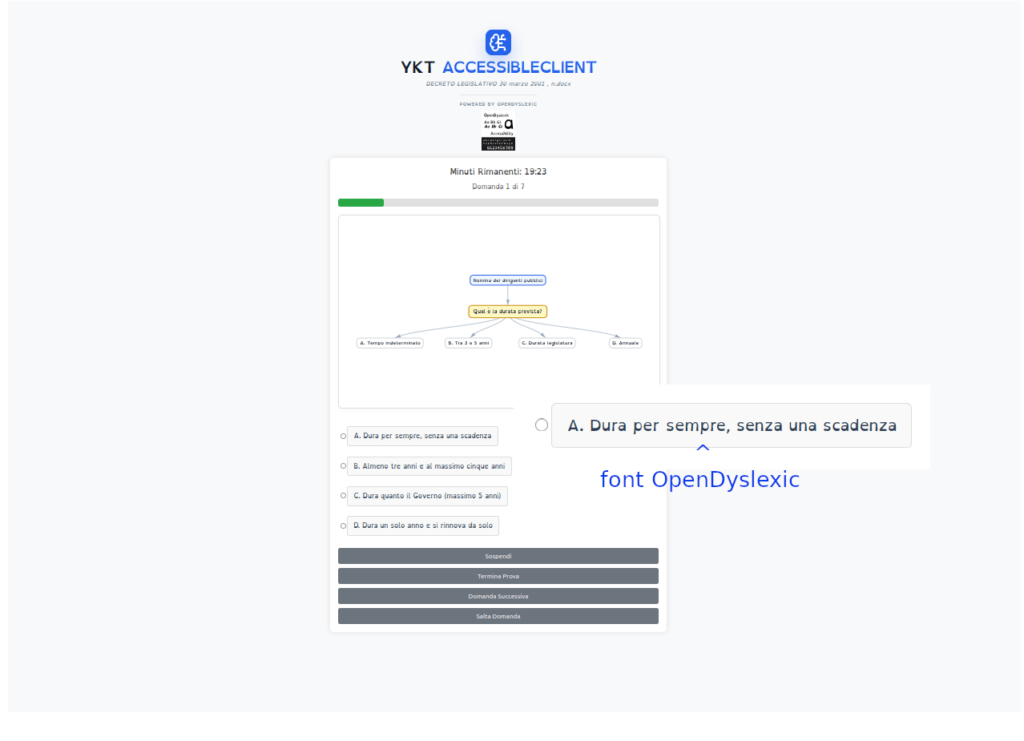 select the answer you believe is correct and then click Next Question
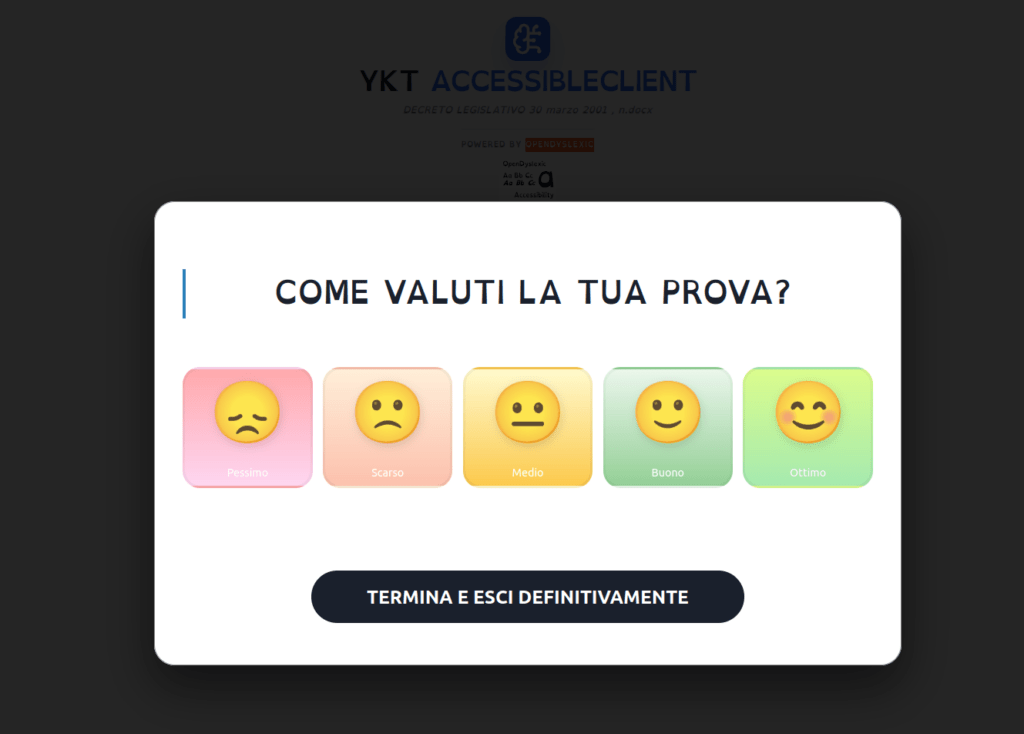
 test results at the end
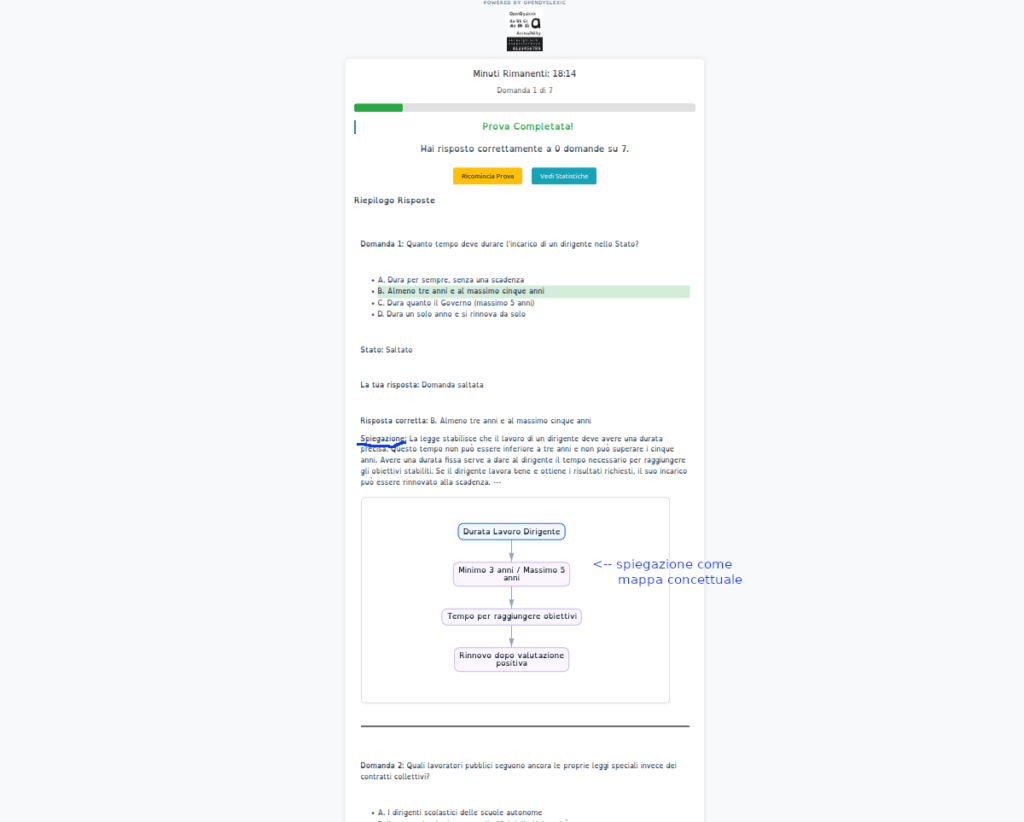 session results with detailed explanation, also in Concept Map format
 learning statistics